Building a Website, App or Tool in 2026: The Complete Vibe Code Forum Guide
By Vibe Code Forum Editorial Team · 8 October 2026
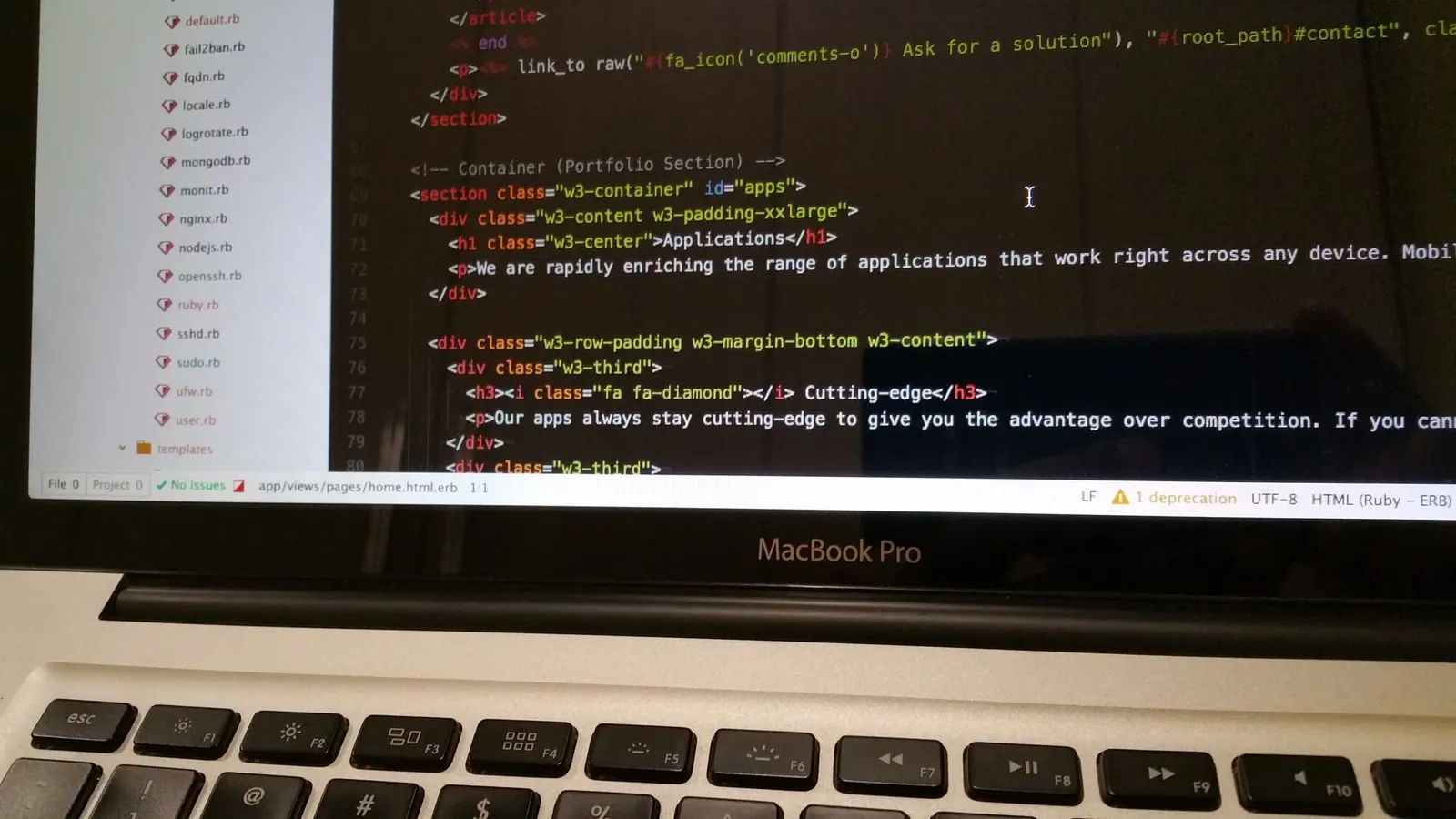
Plan, build, and launch a website, app, or tool in 2026 with this complete Vibe Code Forum guide covering tools, steps, and best practices. Start building now.
Building a Website, App or Tool in 2026: The Complete Guide to Choosing Your Route
A founder can describe a booking app to an AI assistant before lunch and have a clickable prototype by dinner. The same founder can also lose a month rebuilding it after a security gap appears. Building a digital product now succeeds or fails on the route you pick before you write a single prompt. This guide from the Vibe Code Forum Editorial Team covers building a website on Wix, building a website for free, building a web app with AI coding tools, and building a deck-builder side project, with a decision framework and launch checklist.
By the Vibe Code Forum Editorial Team. Reviewed against official documentation from W3C, OWASP, MDN and Google Search Central.
Contents- Quick answer: how building a project works in 2026
- The build-route decision framework
- Building a website with Wix
- Building a website for free
- Building a web app with AI (vibe coding)
- Building a deck: card-game tools as a coding project
- Building a home or a building: where software helps
- The pre-launch checklist
- Common mistakes when building a product
- How long building a project takes
- FAQ
- Review and update note
Quick answer: how building a project works in 2026
Building a website or app in 2026 follows one of three routes: a hosted no-code builder such as Wix, a free tier or static-site host, or AI-assisted coding where you direct a model to write real code. Pick the route by matching your need for custom logic, data ownership and maintenance time, not by which tool feels fastest on day one.
The three routes differ mainly in who owns the hard parts. With a hosted builder, the platform owns hosting, security patches and uptime, and you trade away control over code and data portability. With a free static host, you own the files but must handle forms, search and anything dynamic through add-on services. With AI-assisted coding, you own everything, including the bugs the model introduced and the dependency updates nobody reminded you about.
The Vibe Code Forum position, based on the projects members share for review, is simple: building a brochure site with code is usually over-engineering, and building a multi-user app on a drag-and-drop builder is usually under-engineering. Most failed projects sit in the gap between those two errors.
The build-route decision framework
The fastest way to choose a route for building a site or app is to answer five questions: does it need user accounts, does it store private data, will it need custom logic, who maintains it after launch, and must you be able to move it elsewhere? The table below maps those answers to the route that fits.
| Decision criterion | Hosted builder (e.g. Wix) | Free / static host | AI-assisted code |
|---|---|---|---|
| User accounts and roles | Basic member areas | Needs third-party auth | Full control, full responsibility |
| Custom business logic | Limited to platform features | Client-side only | Unlimited |
| Security maintenance | Handled by platform | Low surface area | Yours, ongoing |
| Data and code portability | Low | High | High |
| Best fit | Small business, portfolio, simple shop | Docs, blogs, landing pages | SaaS, tools, dashboards, games |
Read the table from the bottom up. If your project matches the "best fit" row for a route, check whether any criterion above it disqualifies that route. A portfolio that suddenly needs paid client logins, for example, moves from the static column into either the builder or the code column depending on whether you want to maintain authentication yourself.
The "two-year test"
Ask who will update the project two years after launch. If the honest answer is "nobody technical," building a custom-coded app is a liability, because unpatched dependencies age badly. If the answer is "me, and I enjoy it," the code route gives you the most room to grow. This one question resolves most debates members bring to the forum.
Building a website with Wix
Building a website on Wix suits people who want a polished, hosted site without managing servers: you pick a template, edit visually, connect a domain and publish. It works best for service businesses, portfolios and small shops. It works poorly when you need complex custom logic or want to export your site and host it elsewhere later.
The practical workflow for building a website with Wix has four stages. First, write your page list and the single action each page should drive before opening the editor, because templates tempt you into copying their structure rather than yours. Second, choose a template by layout, not colour, since colours change in seconds and layouts do not. Third, replace every placeholder image and paragraph; leftover demo text is a common reason small sites look untrustworthy. Fourth, configure the SEO settings for each page title and description, using the guidance in Google Search Central's SEO Starter Guide.
Where vibe coders fit into a Wix build
Wix offers a developer layer for adding custom code to sites, and AI assistants can draft that code from a plain-English description. The useful pattern is narrow: ask the assistant for one small, testable function, such as a form validator or a filtered list, rather than a whole feature. Check Wix's own developer documentation for the current APIs before pasting anything, because assistants sometimes suggest methods that have been renamed or retired.
- Good Wix projects: trade businesses, event pages, photography portfolios, restaurants, simple product catalogues.
- Warning signs: you need complex multi-step workflows, heavy data processing, or guaranteed code export.
- Cost check: compare plan pricing on the official pricing page at the time you buy; plan tiers and prices change and are not reproduced here.
For walkthroughs on specific builder features, browse the Vibe Code Forum guides on site builders and no-code tools.
Building a website for free
Building a website for free is genuinely possible in 2026, but "free" usually means one of three trade-offs: a platform subdomain instead of your own domain, platform branding on your pages, or a static site you build yourself and host on a free tier. The domain name is the one cost most projects cannot avoid if they want credibility.
The free routes break down cleanly. Hosted builders' free plans get you online quickly but keep their branding and subdomain. Free static hosting gives you a clean, fast site from plain HTML, CSS and JavaScript files, which an AI assistant can generate from a description in minutes. Code-hosting platforms with built-in page hosting suit documentation and project sites. Each of these routes is free in money and costs something in time, flexibility or appearance.
The hidden costs of a free website
The hidden costs of building a website free of charge are usually forms, email and migration. A static site cannot process a contact form on its own, so you need a form service with its own limits. A professional email address needs a domain. Moving off a free builder later often means rebuilding pages manually, because builders rarely export clean files.
- Decide whether a subdomain is acceptable for your audience. For a hobby blog it usually is; for a business it rarely is.
- If you choose static hosting, ask an AI assistant to generate semantic HTML, then validate it with the guidance on MDN Web Docs.
- Plan for the first paid upgrade before you need it, so a sudden traffic spike or feature request does not force a rushed migration.
- Keep your content in a portable format, such as Markdown files, so you can switch hosts without rewriting.
Building a web app with AI (vibe coding)
Building a web app with AI means describing features in natural language, letting a coding assistant generate the code, then testing, reviewing and refining it in short loops. This vibe coding approach is fastest for prototypes and internal tools. It becomes risky when nobody reviews the generated code for security, data handling and edge cases before real users arrive.
The workflow that holds up best in practice is a spec-first loop. Vibe coding without a spec produces an app shaped by the model's defaults rather than your users' needs. A one-page spec gives every prompt the same anchor, so the assistant stops reinventing your data model each session.
The seven-step vibe coding loop
- Write a one-page spec. List users, the three core actions each user takes, and the data each action creates.
- Choose a boring stack. Ask the assistant to use widely documented frameworks; obscure libraries produce more hallucinated APIs.
- Generate the data model first. Tables and relationships are the hardest thing to change later.
- Build one feature per session. Commit to version control after each working feature so you can roll back a bad generation.
- Ask for tests alongside code. Even a handful of tests per feature catches regressions when later prompts rewrite earlier files.
- Run a security pass. Review authentication, input validation and secrets handling against the OWASP Top 10.
- Deploy to a staging environment before production, and test with real devices, slow connections and a screen reader.
What AI assistants get wrong most often
AI coding assistants most often get secrets, permissions and outdated APIs wrong. Generated code sometimes places API keys in front-end files, skips server-side permission checks because the interface hides a button, or calls library methods that no longer exist. Each of these passes a quick demo and fails under real use, which is why review matters more than generation speed.
- Search the codebase for hard-coded keys before every deploy.
- Check that every data-changing route verifies the user on the server, not just in the interface.
- Confirm library versions against official documentation, not the assistant's memory.
- Ask the assistant to explain any file you do not understand before you ship it.
Members working through their first app can find prompt patterns, stack comparisons and code-review threads in our library of vibe coding tutorials.

Building a deck: card-game tools as a coding project
Building a deck in games such as Clash Royale means choosing a fixed set of cards that balance cost, roles and counters. For coders, building a deck-builder tool is an excellent first AI-assisted project: the data is structured, the rules are clear, and the result is something you will actually use and share.
The principles of building a deck translate directly into software requirements. A good deck balances average cost, covers attack and defence roles, and includes answers to common threats. A deck-builder tool encodes those principles as calculations: average cost per deck, role tags per card, and warnings when a deck lacks a role. That small rule set teaches data modelling, filtering and validation without the security weight of a multi-user business app.
A starter spec for a deck-builder app
- Data: a card list with name, cost, rarity and role tags. Use official data sources where the publisher provides them; Supercell runs a Clash Royale developer API with its own terms of use.
- Core action: pick cards into a fixed-size deck, with live average-cost display.
- Validation: warn when the deck lacks a spell, a defensive unit or a win condition.
- Sharing: encode the deck into a shareable URL so no accounts or database are needed.
- Stretch goal: save favourite decks in the browser's local storage.
Read the publisher's API terms before building a public tool: game APIs typically restrict commercial use, require attribution and limit request rates. Building a deck tool that stores no personal data and needs no login keeps the project inside the free static-hosting route described in the framework table, which keeps running costs at zero.
Building a home or a building: where software helps
Building a home or a commercial building is a regulated construction project led by licensed builders, architects and engineers, not a software task. Vibe Code Forum does not give construction or financial advice. Where software genuinely helps is in tracking the project: budgets, documents, approval dates and communication with your builder.
People building a home in Perth or anywhere in Western Australia must work within state building regulations and local council planning rules, and should confirm requirements directly with their local government and the state building regulator. Approvals, licensing rules and timeframes vary by location and change over time, so treat any general article, including this one, as orientation rather than a checklist you can rely on legally.
A home-build tracker you can vibe code in a weekend
A personal home-build tracker is a strong practical project for someone building a house and learning to code at the same time. Keep it private and simple:
- A stage list (site preparation, slab, frame, lock-up, fit-out, handover) with planned and actual dates.
- A variations log recording every change request, its cost and who approved it.
- A document store for contracts, plans and inspection reports, kept off public hosting.
- A payment schedule that flags upcoming progress payments against your contract.
Because a home-build tracker holds contracts and financial details, run it locally or behind proper authentication rather than on a public static site. That single decision is the same security judgement covered in the decision framework: private data changes the route.
The pre-launch checklist
Before launching any site or app, check four areas: security, accessibility, search visibility and recoverability. The Vibe Code Forum pre-launch checklist below applies whether you are building a website with a builder or building a web app with AI, and each item takes minutes rather than days.
Security
- No API keys or passwords in front-end code or public repositories.
- Every data-changing action checks permissions on the server.
- HTTPS enabled on every page, including custom domains.
- Input validated on the server, not only in the browser.
Accessibility (measured against W3C's WCAG guidelines)
- Every image has meaningful alt text.
- Every form field has a visible label.
- The whole site works with a keyboard alone.
- Text contrast meets WCAG contrast requirements.
Search visibility
- Unique, descriptive page titles and meta descriptions.
- One H1 per page, with logical heading order.
- A sitemap submitted through your search console account.
Recoverability
- Code in version control with a tagged release.
- Database backups tested by actually restoring one.
- A written note of where your domain, hosting and DNS are managed.
The recoverability items are the ones most often skipped. A backup that has never been restored is an assumption, not a backup. Builders handle much of this for you, but the domain and DNS note still matters, because losing access to a registrar account can take a site offline regardless of which route you chose.
Common mistakes when building a product
The most common mistakes when building a website or app are choosing a route for its demo speed, skipping a written spec, shipping AI-generated code nobody has read, and ignoring accessibility until a user complains. Each mistake is cheap to prevent early and expensive to fix after launch.
Mistake 1: Optimising for the first hour
Every route looks impressive in its first hour, which makes the first hour a poor basis for choosing. A builder template looks finished instantly; an AI assistant produces a working login screen in one prompt. Judge the route by the tenth feature, not the first page.
Mistake 2: Letting the model design the data
When the assistant invents the data model prompt by prompt, related records end up duplicated across tables, and later features contradict earlier ones. Define the data model yourself in the spec, then ask the assistant to implement it exactly.
Mistake 3: No rollback point
AI assistants occasionally rewrite working files while fixing unrelated bugs. Without version control commits after each working feature, building a stable app becomes a cycle of fixing what used to work. Commit small and often.
Mistake 4: Treating accessibility as polish
Accessibility retrofits are slower than accessible defaults. Ask the assistant for semantic HTML, labelled forms and keyboard support from the first prompt, and the checklist items above take minutes instead of a redesign.
For detailed teardowns of real projects that hit these problems, see the project post-mortems and case studies on Vibe Code Forum.
How long building a project takes
How long building a project takes depends far more on scope and review than on the tool. A simple brochure site can go live in a day on any route. A multi-user web app with payments takes much longer, because testing, security review and content work dominate the schedule, not code generation.
Vibe Code Forum avoids publishing precise hour estimates because they vary enormously by experience and scope, and an unsourced number misleads more than it helps. The relative pattern is reliable, though: AI assistants compress the coding phase dramatically, and they do not compress decisions, content writing, user testing or waiting for third-party approvals such as payment provider verification or app store review.
| Project type | Main time sink | What AI speeds up |
|---|---|---|
| Brochure or portfolio site | Writing copy, gathering images | Layout and first-draft copy |
| Deck builder or calculator tool | Defining rules and data | Interface and logic code |
| Small online shop | Products, policies, payment setup | Product descriptions, page templates |
| Multi-user web app | Security review, testing, edge cases | Boilerplate, tests, refactors |
Use the table to plan: put your first estimate on the "main time sink" column, not the coding. Projects that budget for review time ship on schedule more often than projects that assume the assistant's speed carries through to launch.
FAQ: building a website, app or building
How do I build a building?
You build a building by hiring licensed professionals: an architect or designer for plans, an engineer for structure, and a registered builder for construction, after securing planning and building approvals from your local council or regulator. The owner's role is setting the brief, budget and approvals, and keeping clear records of every decision.
Requirements differ by country, state and council, so confirm the approval steps with your local authority before signing any contract.
What type of building starts with the letter "a"?
Common building types starting with "a" include apartment, airport, arena, aquarium, abbey, armoury, art gallery and auditorium. On campuses, "Building A" is also a common label for the first or main building in a lettered sequence, used for wayfinding rather than describing the building's purpose.
How many years does it take to build a building?
The time to build a building ranges from months for a standard house to several years for large commercial or high-rise projects, depending on size, design complexity, approvals, weather and labour availability. Approvals and design can take as long as construction itself, so ask your builder for a staged schedule in writing.
Who builds a building?
A building is built by a team led by a licensed builder or construction company, working from designs by architects and engineers, with trades such as carpenters, electricians and plumbers doing specialist work. Councils or private certifiers inspect stages, and the owner or developer funds the project and approves changes.
Is building a website on Wix better than coding it with AI?
Building a website on Wix is better when you want a hosted, low-maintenance site with standard features; coding it with AI is better when you need custom logic, full data ownership or the ability to move hosts. Use the two-year test: if nobody technical will maintain the site, choose the hosted builder.
Can I really build a website for free?
Yes, you can build a website for free using a builder's free plan or free static hosting, but expect a platform subdomain or branding unless you pay for a custom domain. A static site generated with an AI assistant and hosted on a free tier offers the cleanest free result for simple sites.
Is vibe coding safe for building a real app?
Vibe coding is safe for building a real app only when a person reviews the generated code for authentication, permissions, input validation and secrets before launch. Use the OWASP Top 10 as a review list, keep code in version control, and test on staging. Unreviewed AI code should stay in prototypes.
Review and update note
This guide was written and reviewed by the Vibe Code Forum Editorial Team on 8 October 2026. Platform features, free-plan limits, API terms and pricing change frequently, so confirm current details on each provider's official documentation before committing to a route. Construction and planning information is general orientation only and is not professional, legal or financial advice.
We revisit this pillar guide when major AI coding tools, builder platforms or web standards change. If you spot something outdated, raise it in the forum and the editorial team will review it for the next update.